 LLC Trainer

Starting a U.S. LLC for your Amazon business begins with understanding the formation process and the information you need to provide. This LLCTrainer.com guide walks you through Northwest Registered Agent’s application using New Mexico as the example state. Follow the screenshots to select your entity type, enter your company name, create an account and review the costs before payment. The guide also covers the important filing steps after payment, including completing state filing details, checking your business information and accessing company documents when available. Use each step to prepare your application with accurate details for your own Amazon selling business.
Step 1: Begin Your LLC Application
- Open the page for forming a Northwest Registered Agent from here
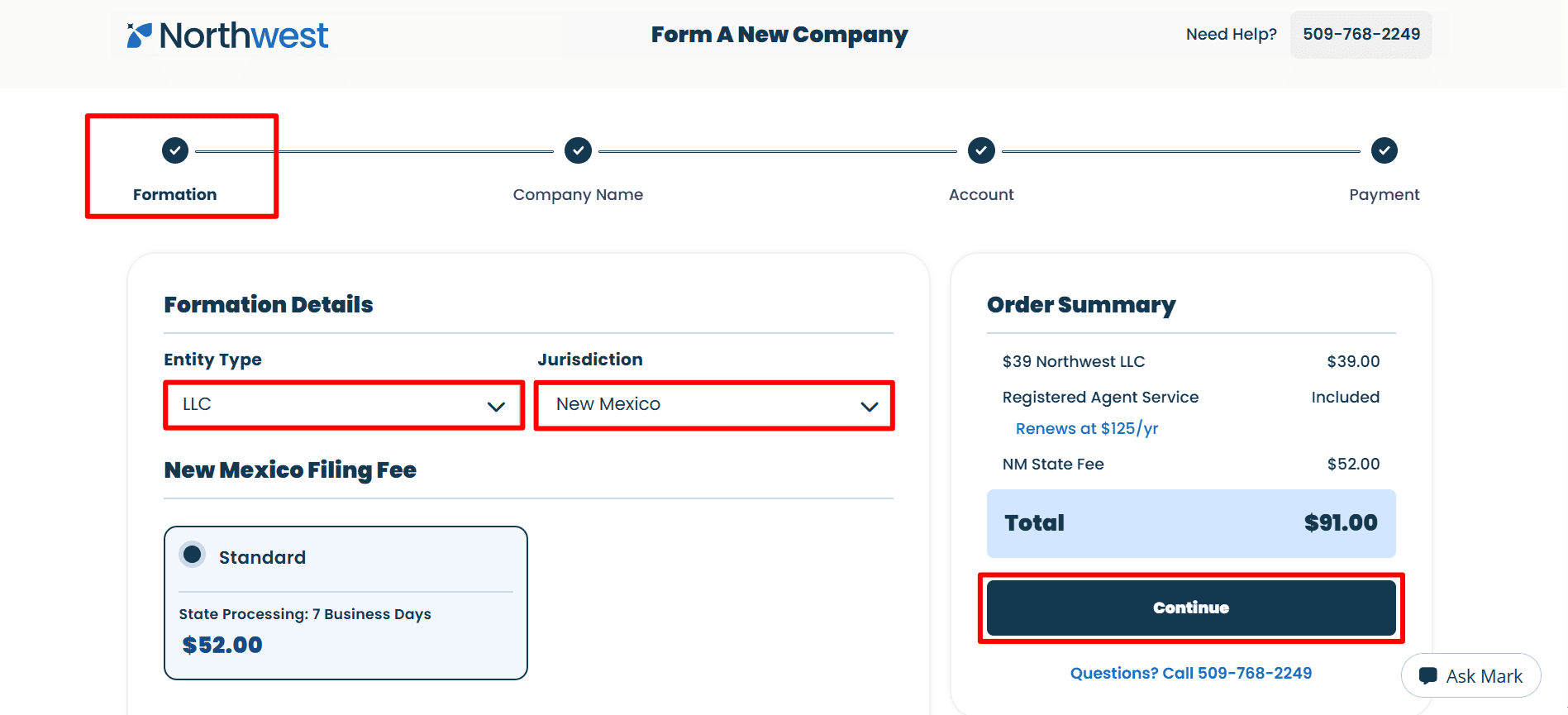
- Entity type: select LLC as your business type.
- Jurisdiction: Select the state in which you want to form the company ,such as Wyoming, New Mexico, or another suitable state.
- Make sure that your choices match your own study plans, including the service fee and state filing fee and then click Continue.
Step 2: Enter Your Company Name and Review EIN Assistance
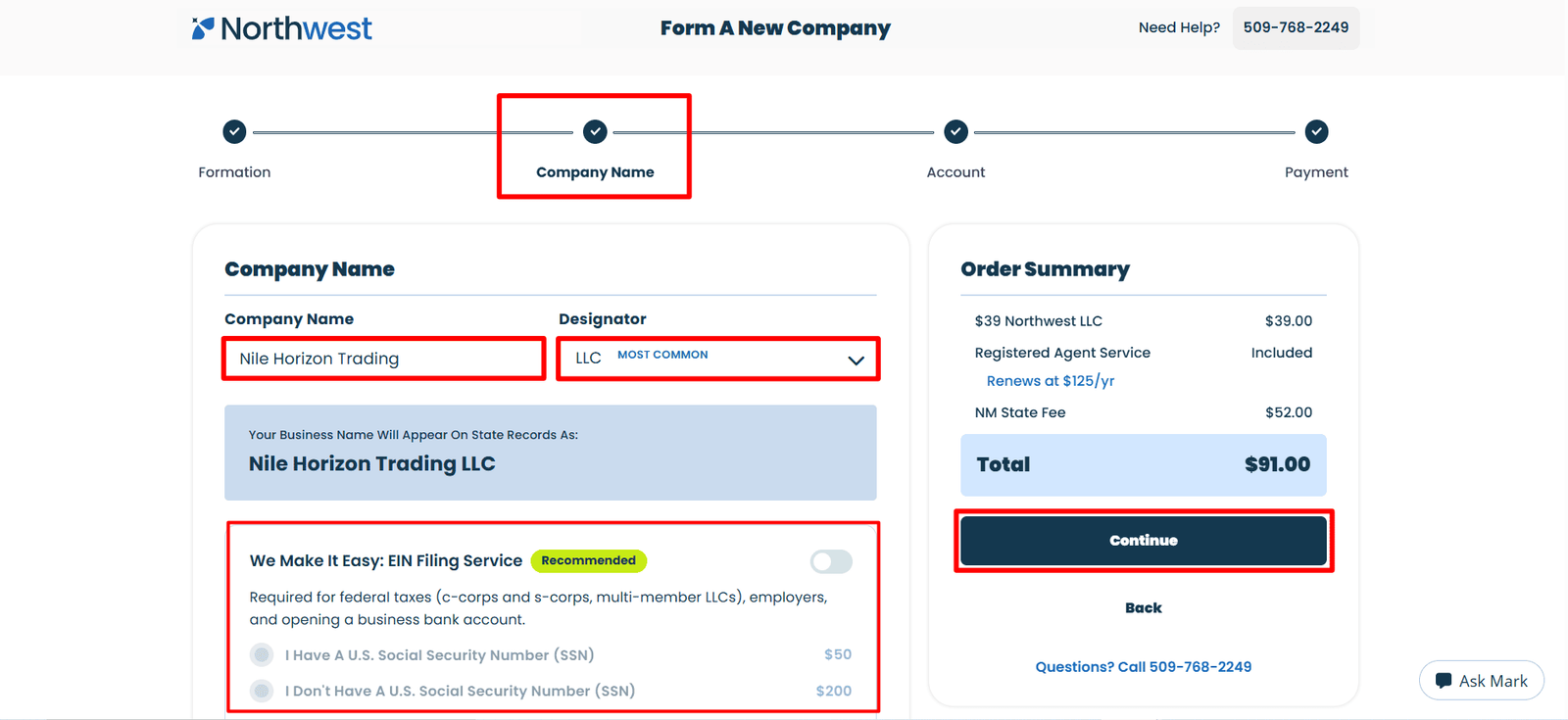
- Company Name: Put in the company name you want to use for your LLC.
- Designator: which results in the preview showing as Nile Horizon Trading LLC. Please make sure that both your name and designator are correct.
- EIN Filing Service: In this instance the optional service is turned off. The assistance fees shown are $50 if you have a U.S. SSN or $200 if you don’t. You should choose the option according to your own situation.
- EIN application options: Northwest will charge you a service fee if you select its help with applying for an Employer Identification Number (EIN).Note: If you want to process your Employer Identification Number (EIN) by yourself with the minimalist cost then you can see our below blogs.
- If you are a non US resident then you should follow the step by step complete guide from here.
- Or, if you’re a US citizen/resident then you should follow the guide from here.
- Review your selections, then click Continue.
Step 3: Create Your Northwest Account
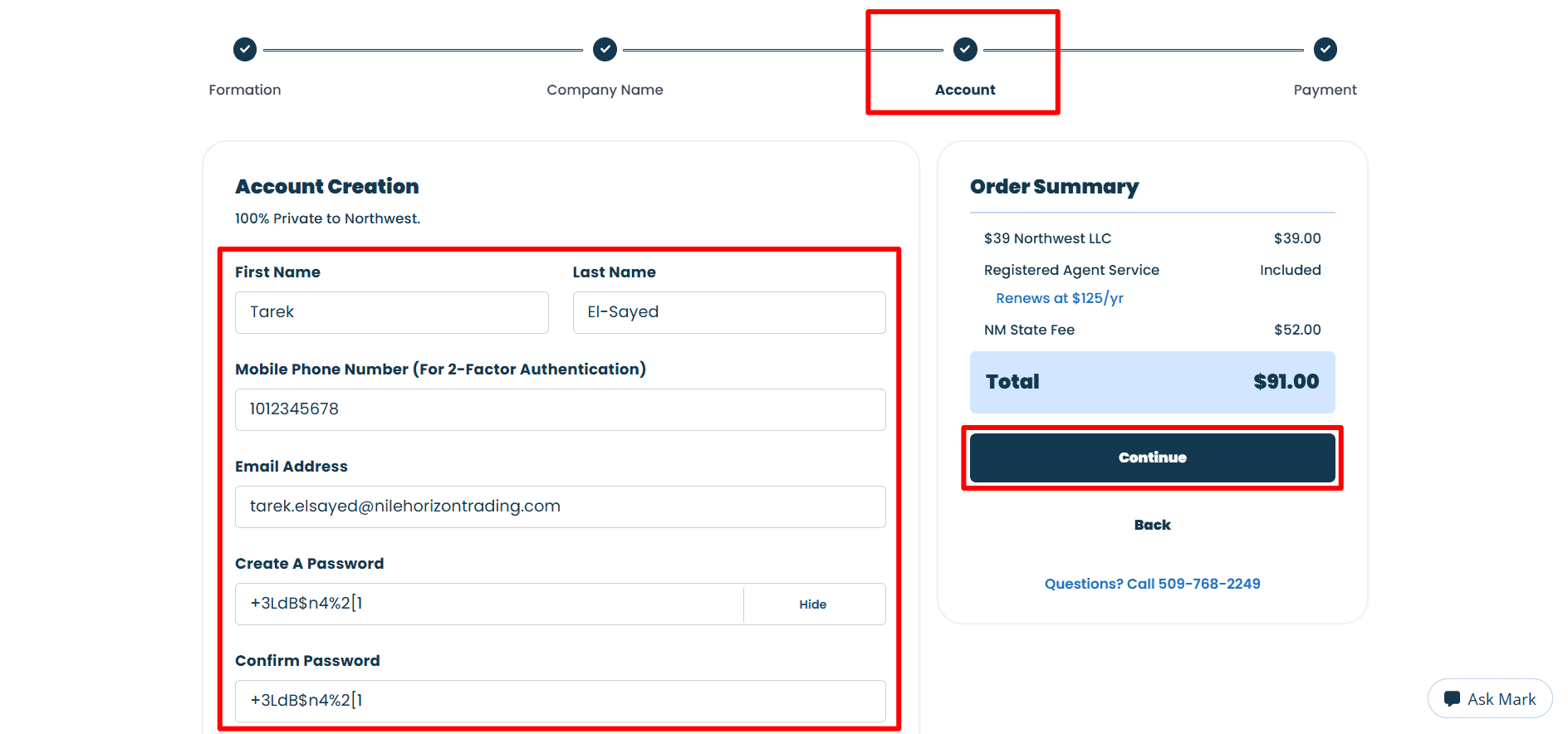
- First Name and Last Name: Fill in your name exactly as it appears in the appropriate fields.
- Mobile Phone Number and Email address: For two-factor authentication, enter a mobile number that you are able to control and access.Then Enter an email address that you regularly check.
- Create A Password: select a strong and unique one and then type it once more in the box that says ‘Confirm Password‘.
- Check your account information, then click Continue.
Step 4: Complete Payment and Billing Details
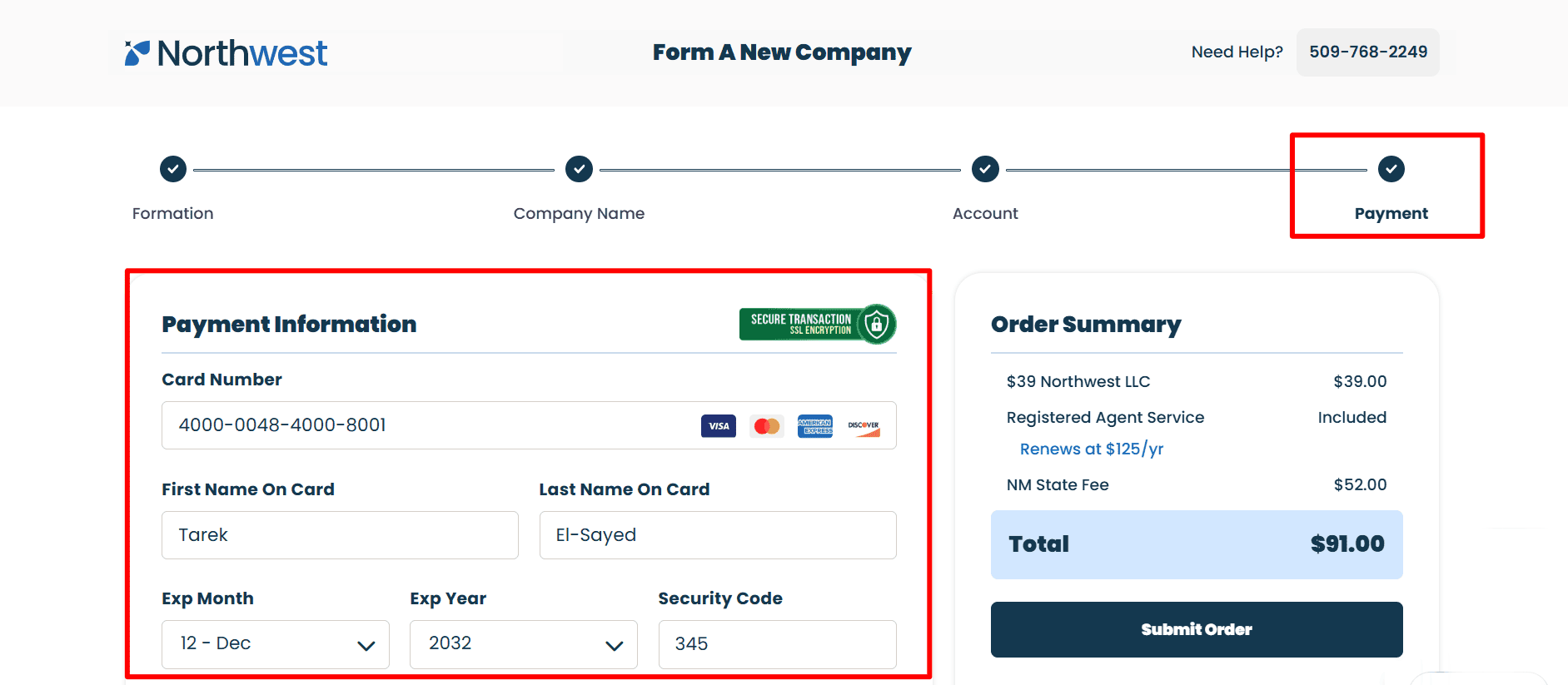
- Payment Information: Enter your card number, the name that appears on the card first, the last name that appears on the card, the expiry month, the expiry year, and the security code using the details from your own authorised card.
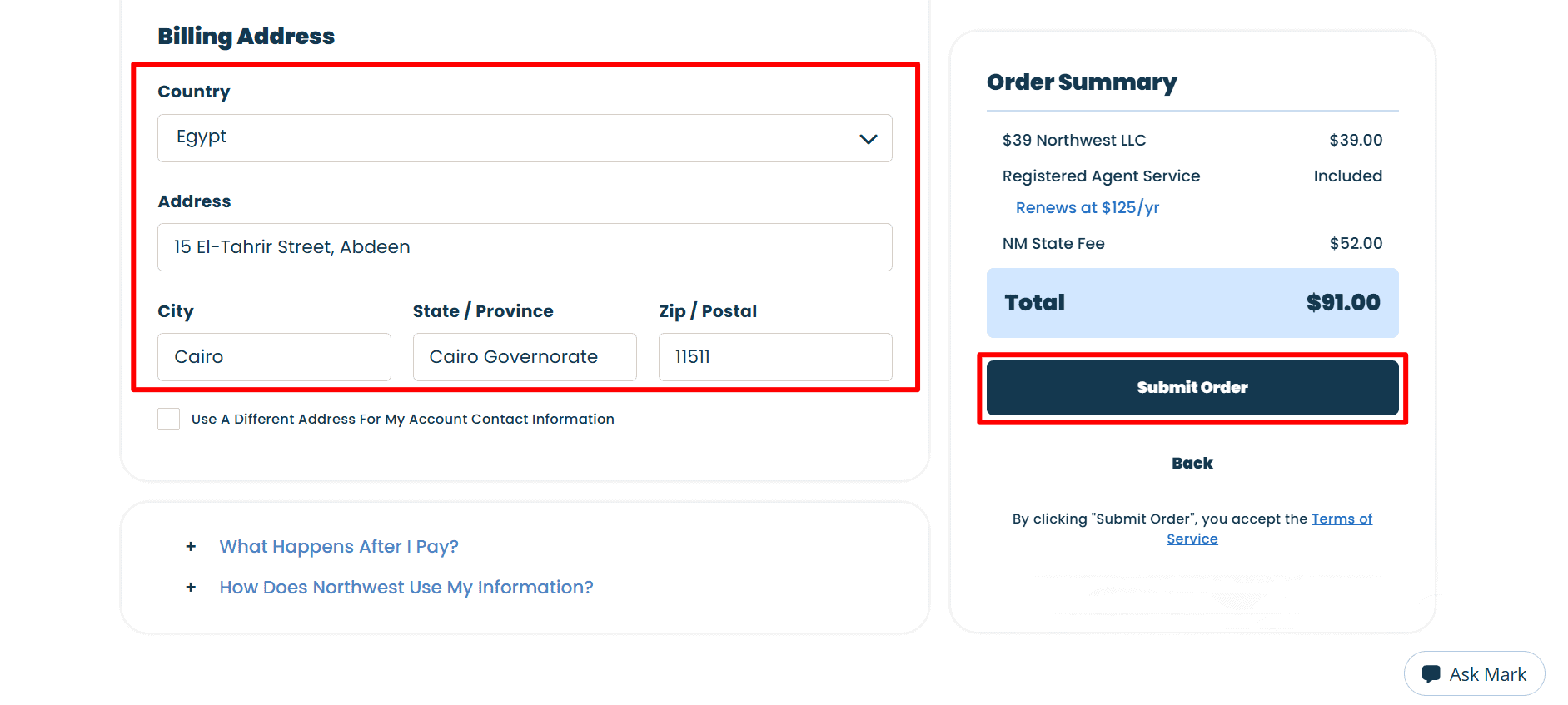
- Billing Address: First select your country and then fill in the address, city, state or province, and zip or postal code with the details from your card’s billing address.
- Account Contact Information: choose ‘Use A Different Address’ only if this is necessary.
- Order Summary: The total amount for this order example is $91.00. Please look over the charges and the Terms of Service.
- Then click Submit Order to place and pay for your order.
Step 5: Add State Filing Details
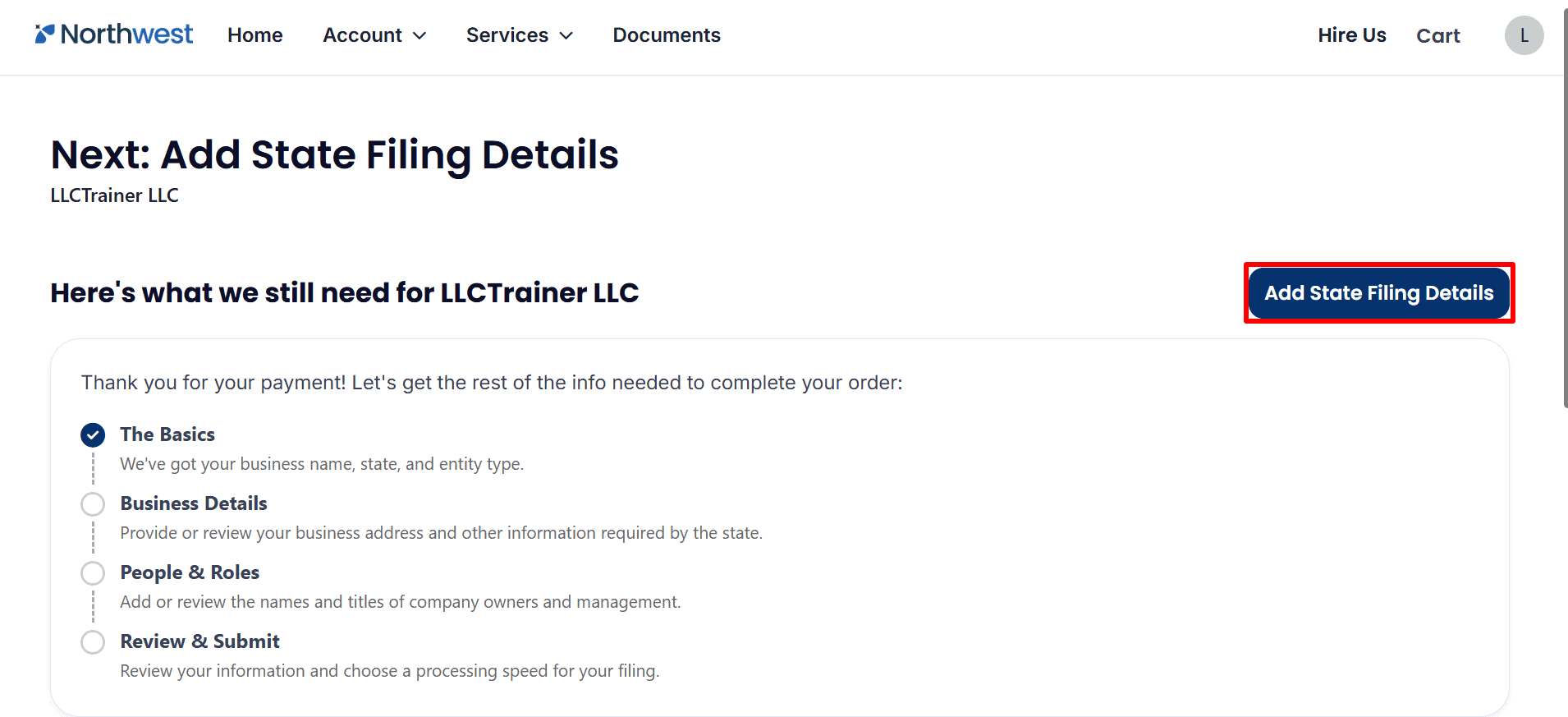
- Add State Filing Details: Although the payment has been made, further information is required. To enter your business information, details about the people involved and their roles, and to check over your filing before submitting it, click on Add State Filing Details.
- Tip: Payment confirmation does not mean your LLC has received state approval
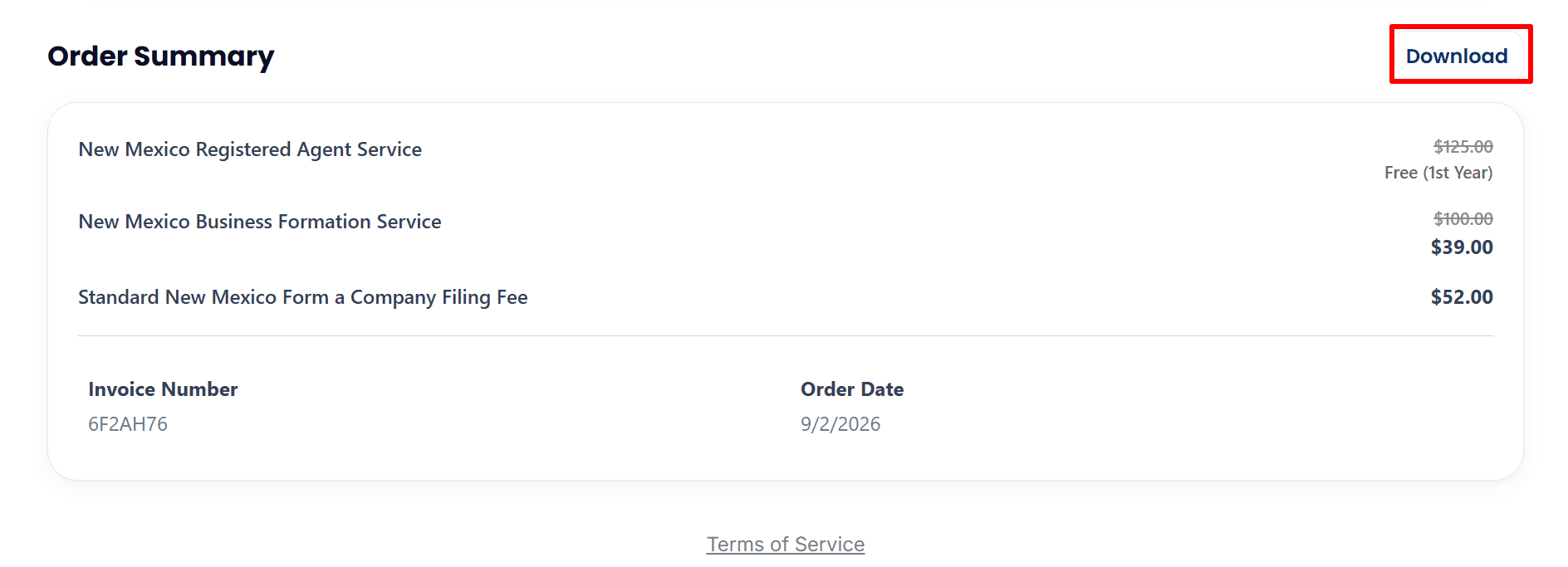
- Order Summary:Review the services, charges, Invoice Number and Order Date.
- Download: Please click on Download so that you can save your invoice for your records.
 Step 6: Complete Your Business Details
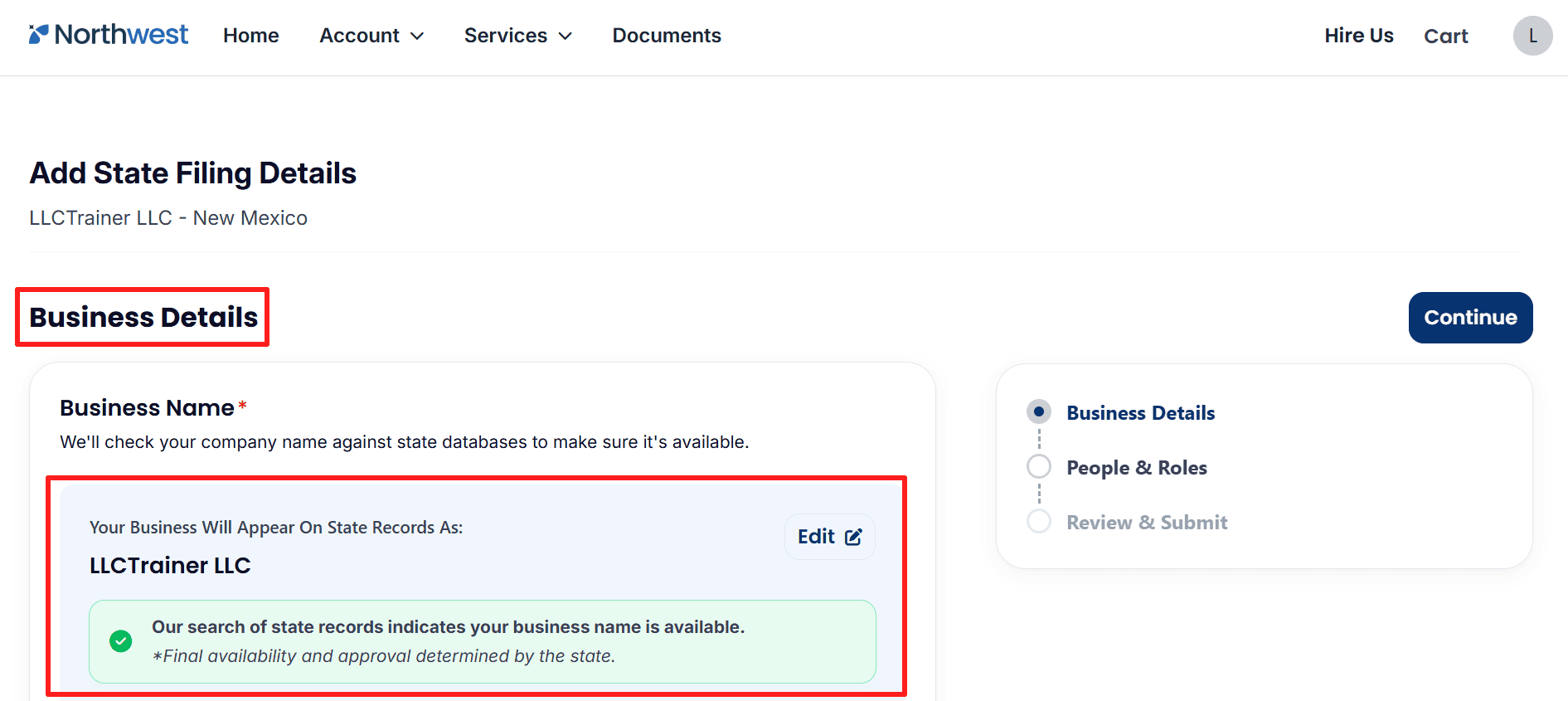
- Business Name: Make sure that the name of your LLC is correct and if it needs to be, use the Edit function. The final approval of the name remains with the state.
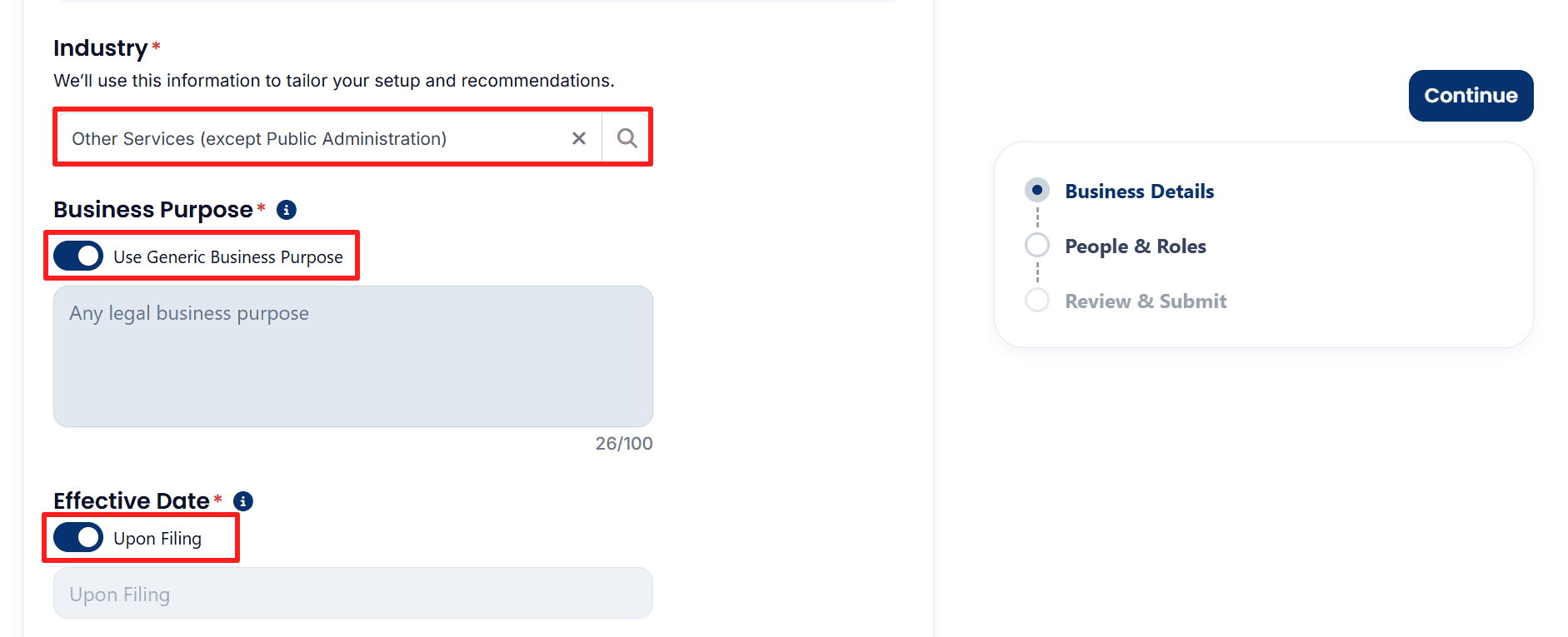
- Industry: Select the category matching your Amazon business rather than copying the example.
- Business Purpose: Review Use Generic Business Purpose, enabled in the example.
- Effective Date: The example selects Upon Filing. Confirm the choice suits your plans.
- Trade Name: Enter one if applicable.
- File EIN Paperwork For Me:If wanted, you can also choose optional services such as File EIN Paperwork For Me. Select the option based on whether you have a U.S. Social Security Number. Or, you can skip the EIN service from here and you can do it by your own. To do it own you should follow our below blogs.
- If you are a non US resident then you should follow the step by step complete guide from here.
- Or, if you’re a US legal then you should follow the guide from here.
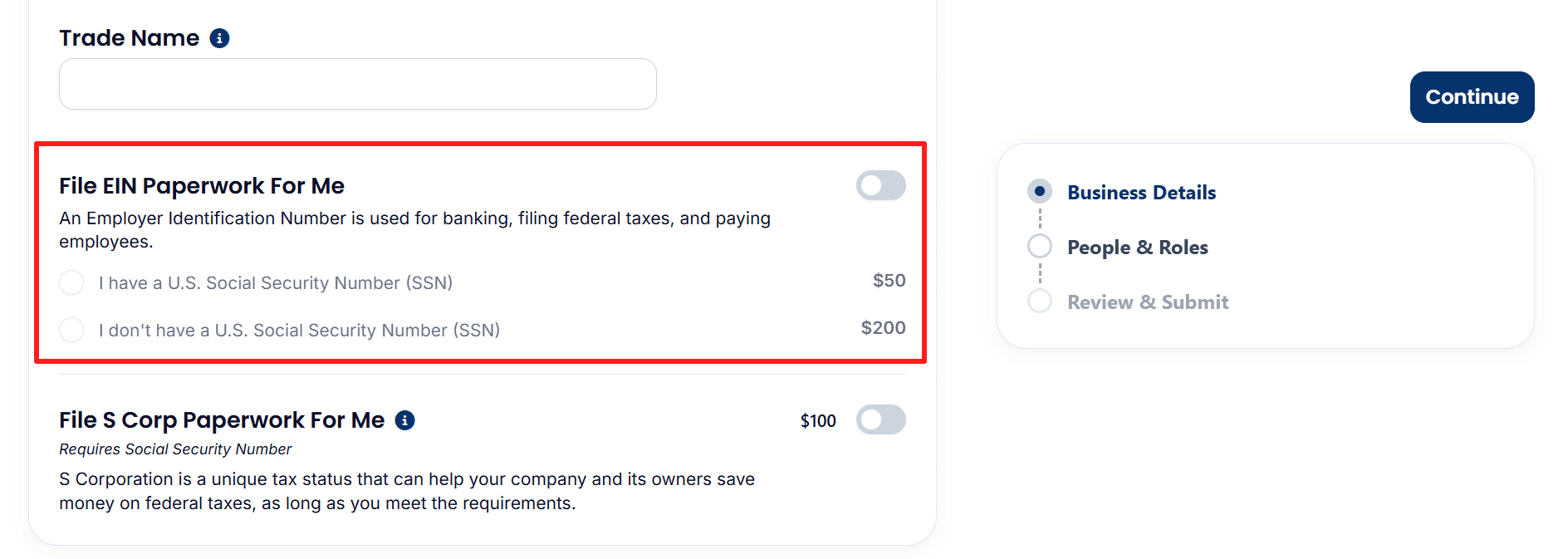
- File S Corp Paperwork For Me: This optional service is also switched off. Choose it only if appropriate for your eligibility and tax plans.
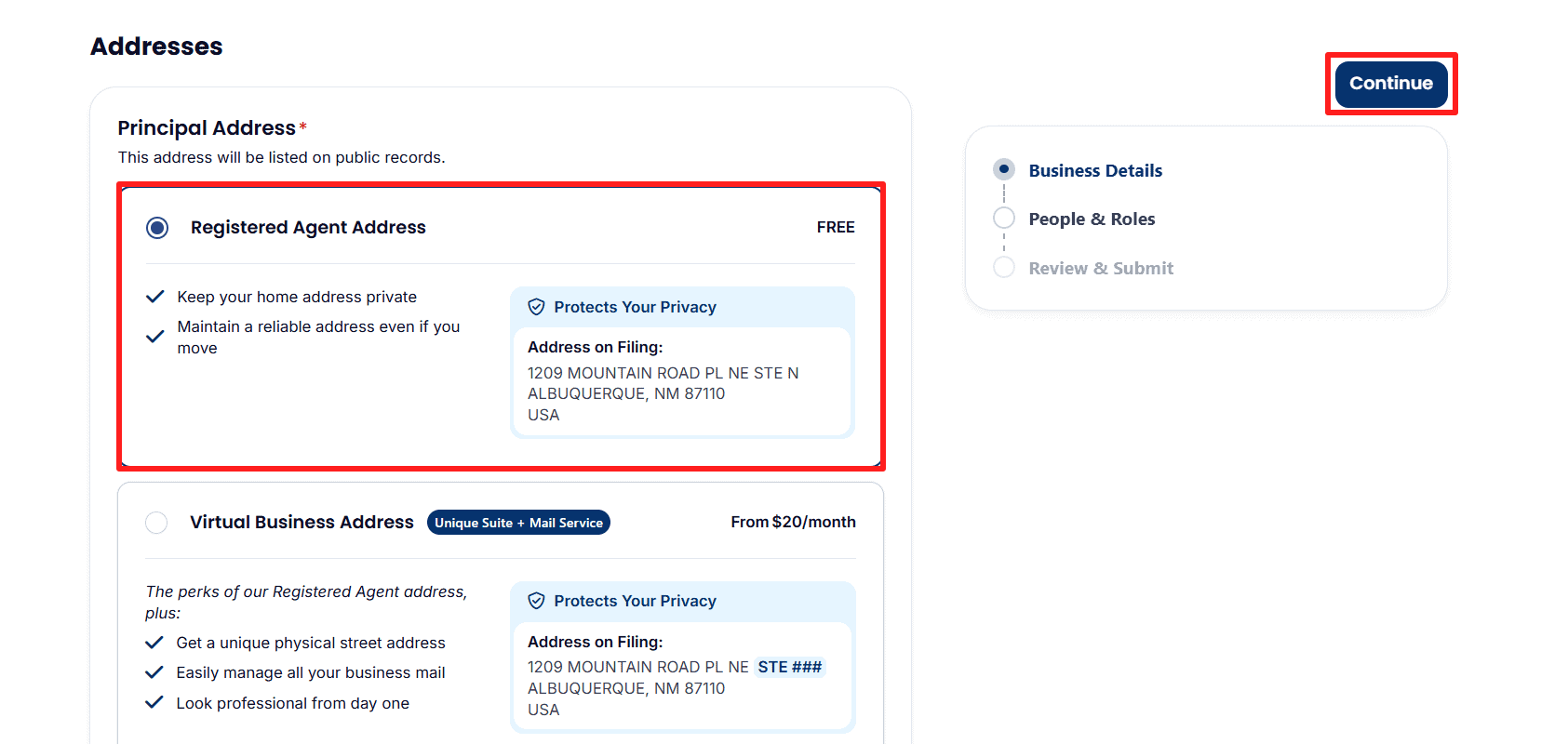
- Principal Address: The example shows the free Registered Agent address. You can look at this or the optional Virtual Business Address, which is available from $20 per month. This filing address will become public.
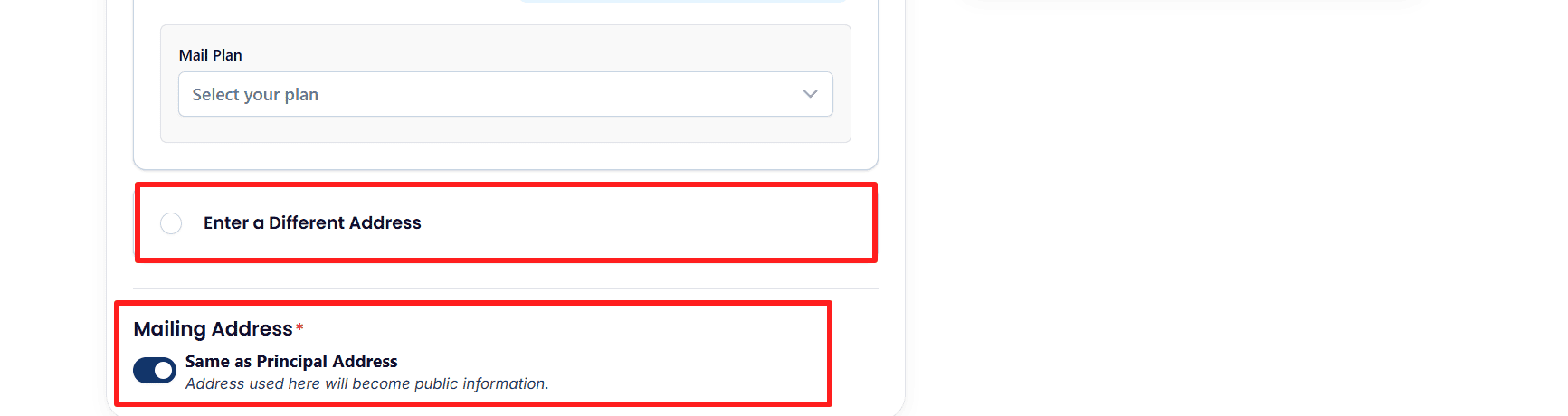
- Mail Plan: Select a plan if choosing the virtual address service, or choose Enter a Different Address to provide another principal address.
- Mailing Address: Keep Same as Principal Address enabled only if accurate. The mailing address also becomes public.
- Review your entries, then click Continue.
Step 7: Confirm Your People & Roles
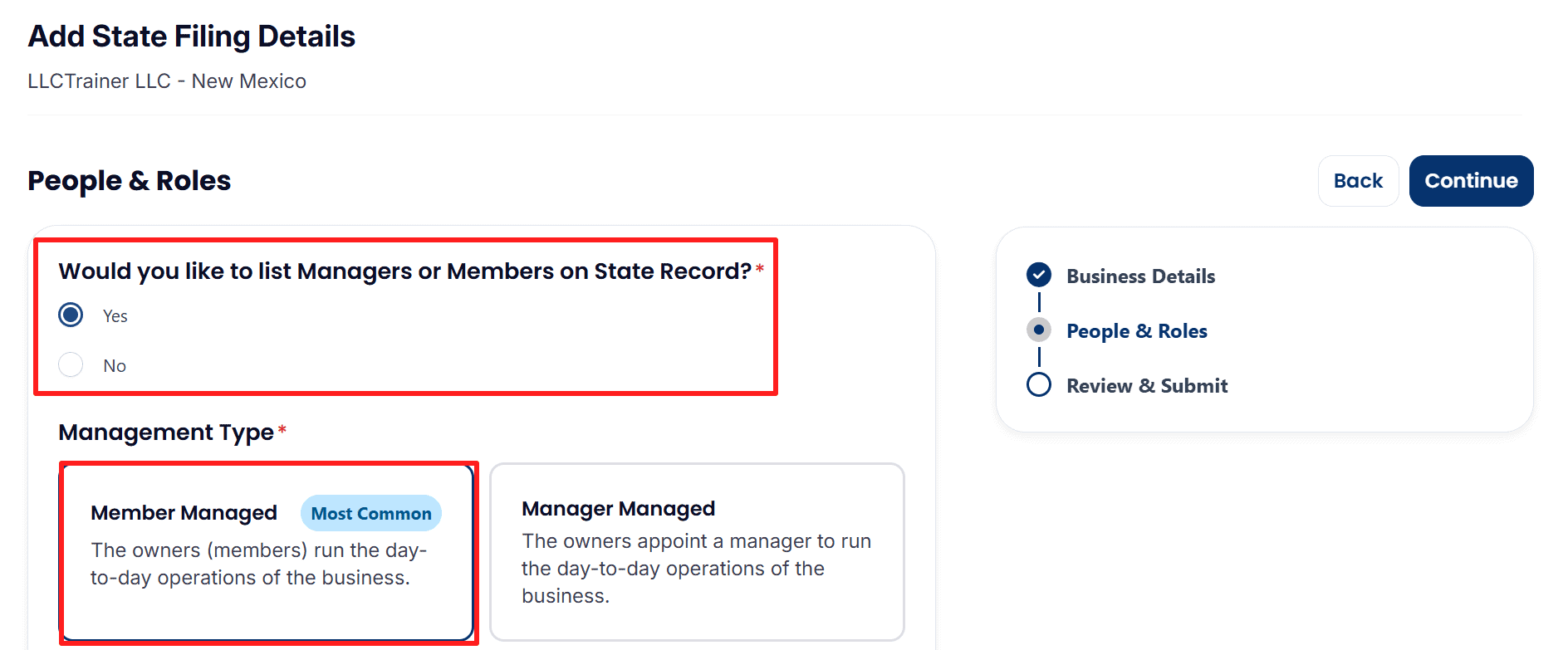
- When listing Managers or Members on the State Record: You should check this option for your own record.
- For the Management Type: select ‘Member Managed‘ if the owners carry out the daily operations, or ‘Manager Managed‘ if managers have been appointed to do so.
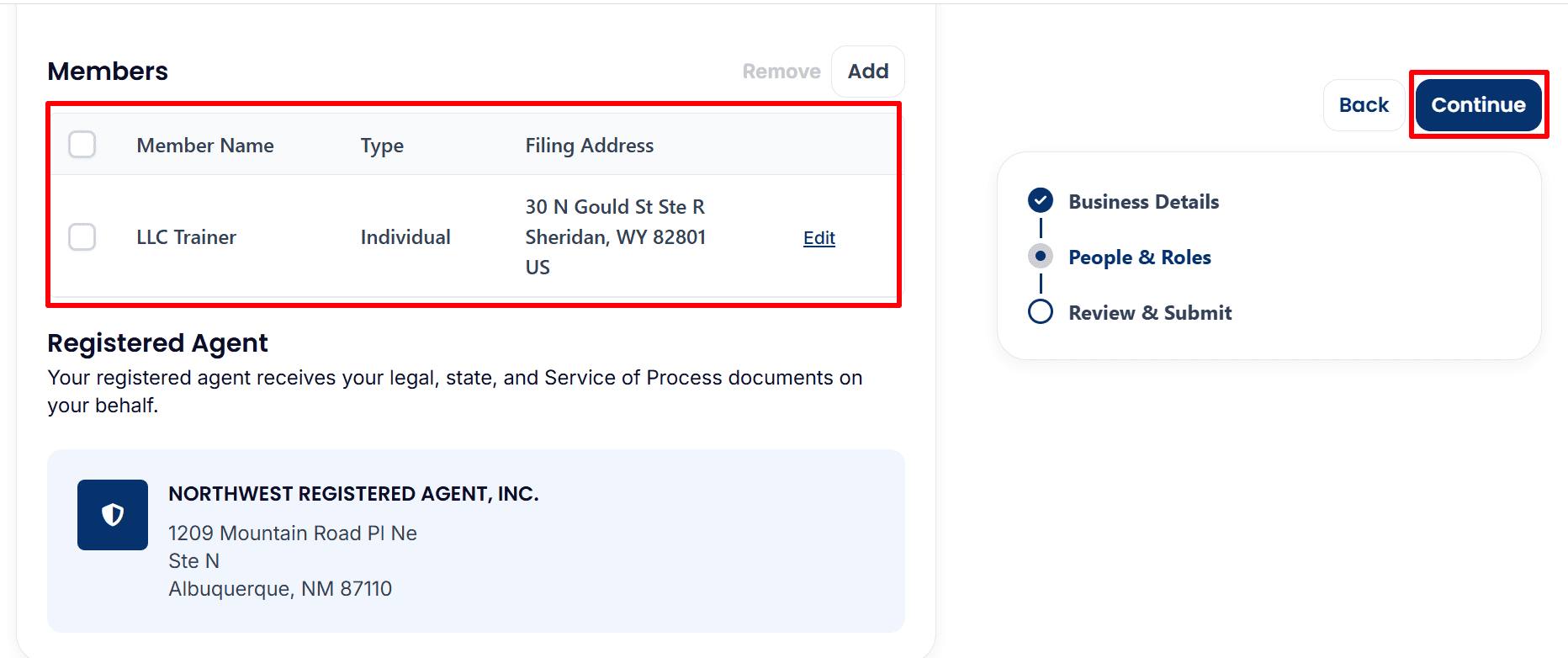
- Members: Review each Member Name, Type and Filing Address. Use Add or Edit to provide your own accurate ownership information.
- Registered Agent: Check the displayed Northwest Registered Agent details.
- Click Continue to proceed to Review & Submit.
Step 8: Review and Submit Your Filing Details
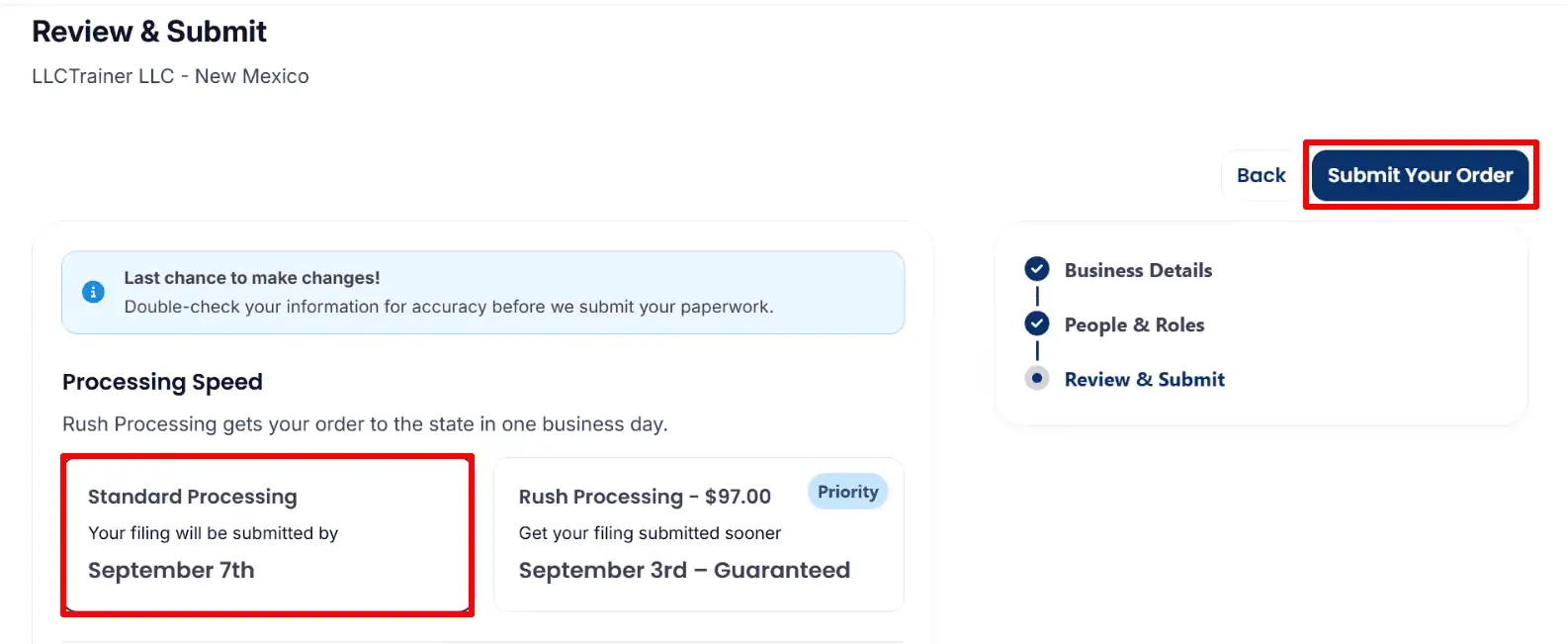
- Processing Speed: For processing speed, choose the standard processing or the optional rush processing which costs $97.00. rush processing accelerates the submission to the state, not the state’s approval.
- Submit Your Order: When you want to place your order, make sure you have double-checked all the details before you click on Submit Your Order.
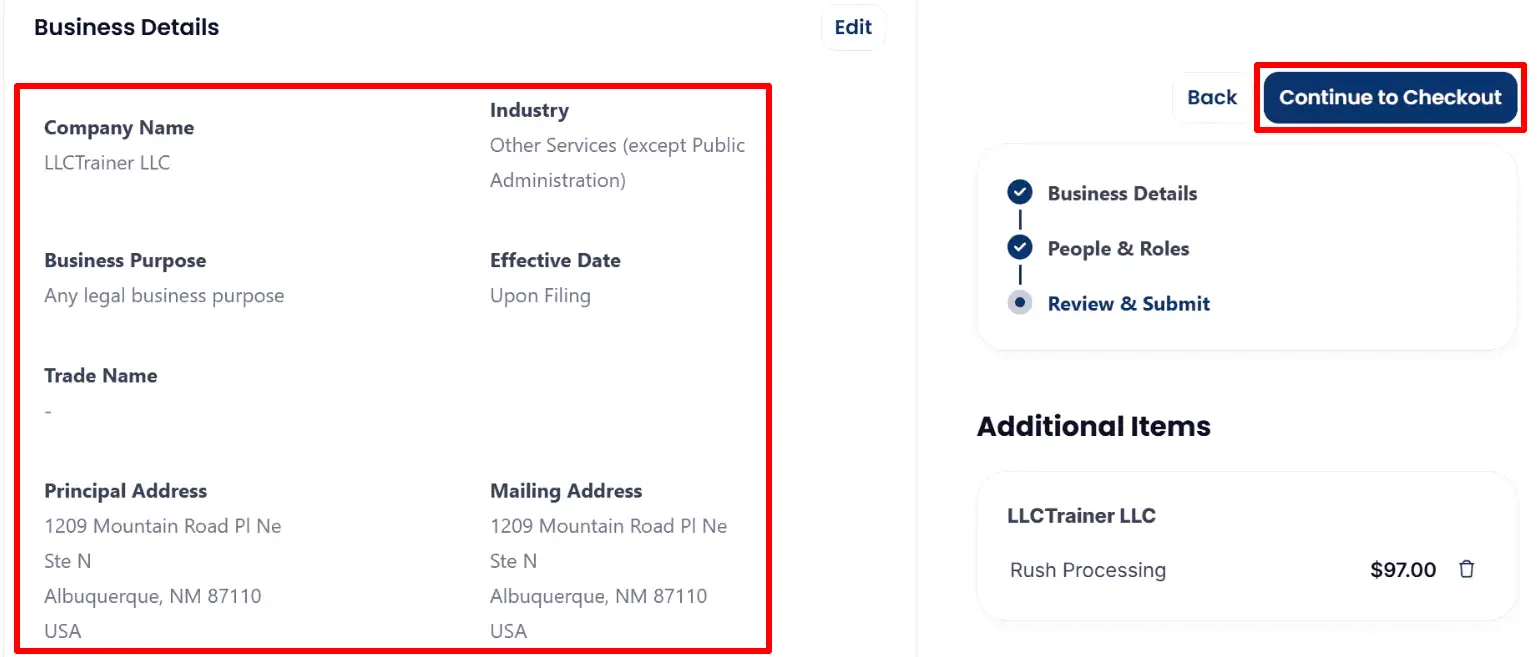
- Business Details: Check that your company name, industry, purpose, effective date and addresses are correct and click Edit if you need to make any changes.
- Additional Items: The screenshot indicates that Rush Processing has been added at a cost of $97.00. if you do not want it, you can remove it by using the trash icon, or you can click on Continue to Checkout and proceed with the extra charge.
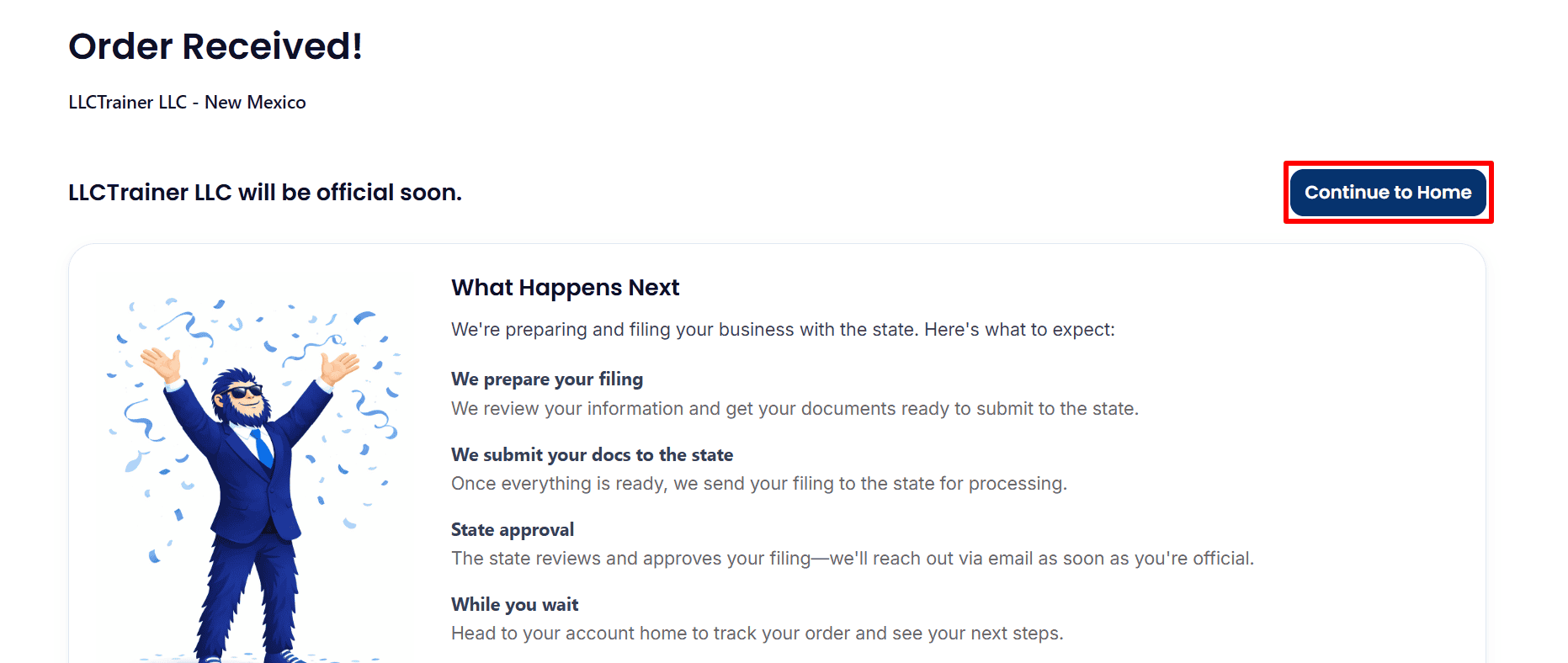
- Order Received!: Northwest has confirmed that it has received the order and gives an explanation of the preparation and state filing stages, making it clear that this does not constitute state approval.
- please click on Continue to Home in order to track your order.
Step 9: Check Your Dashboard and Services
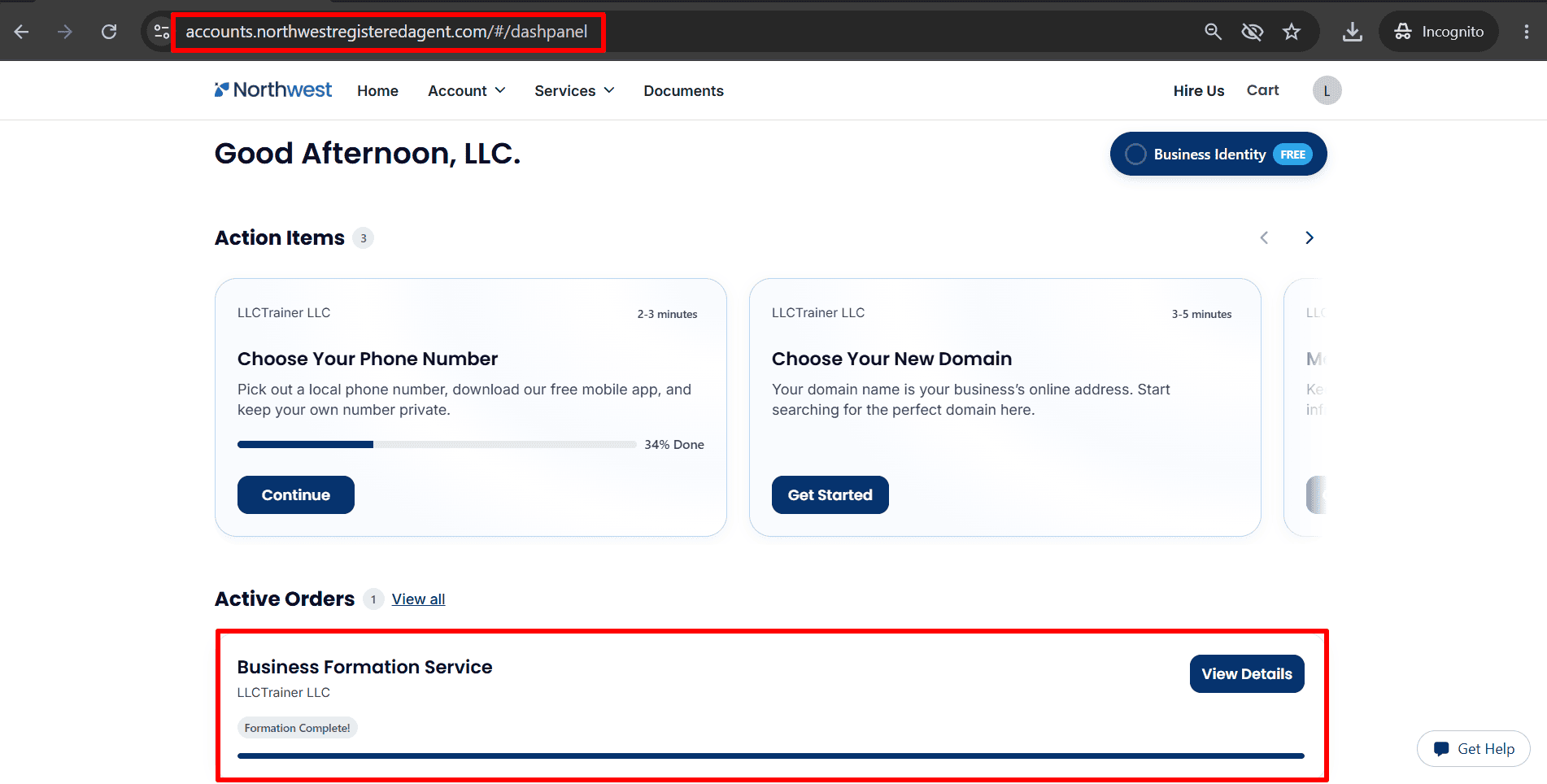
- Active Orders: Find Business Formation Service and click View Details to check your filing. The example displays Formation Complete!; your own status may differ.
- Choose Your Phone Number: Click Continue if you want to set up the optional business phone service.
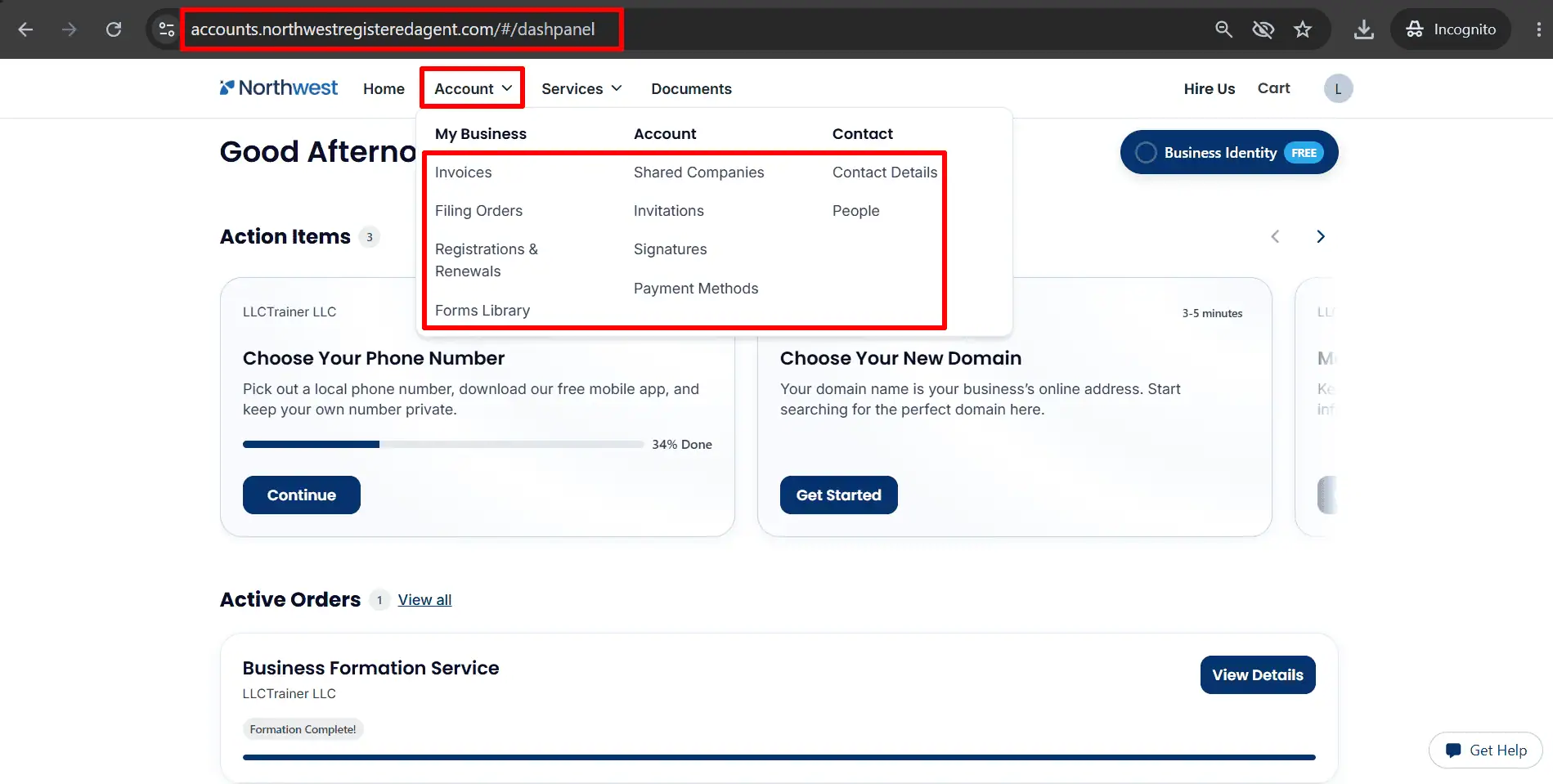
- Account: Open Invoices, Filing Orders or Registrations & Renewals to review billing, orders and renewals.
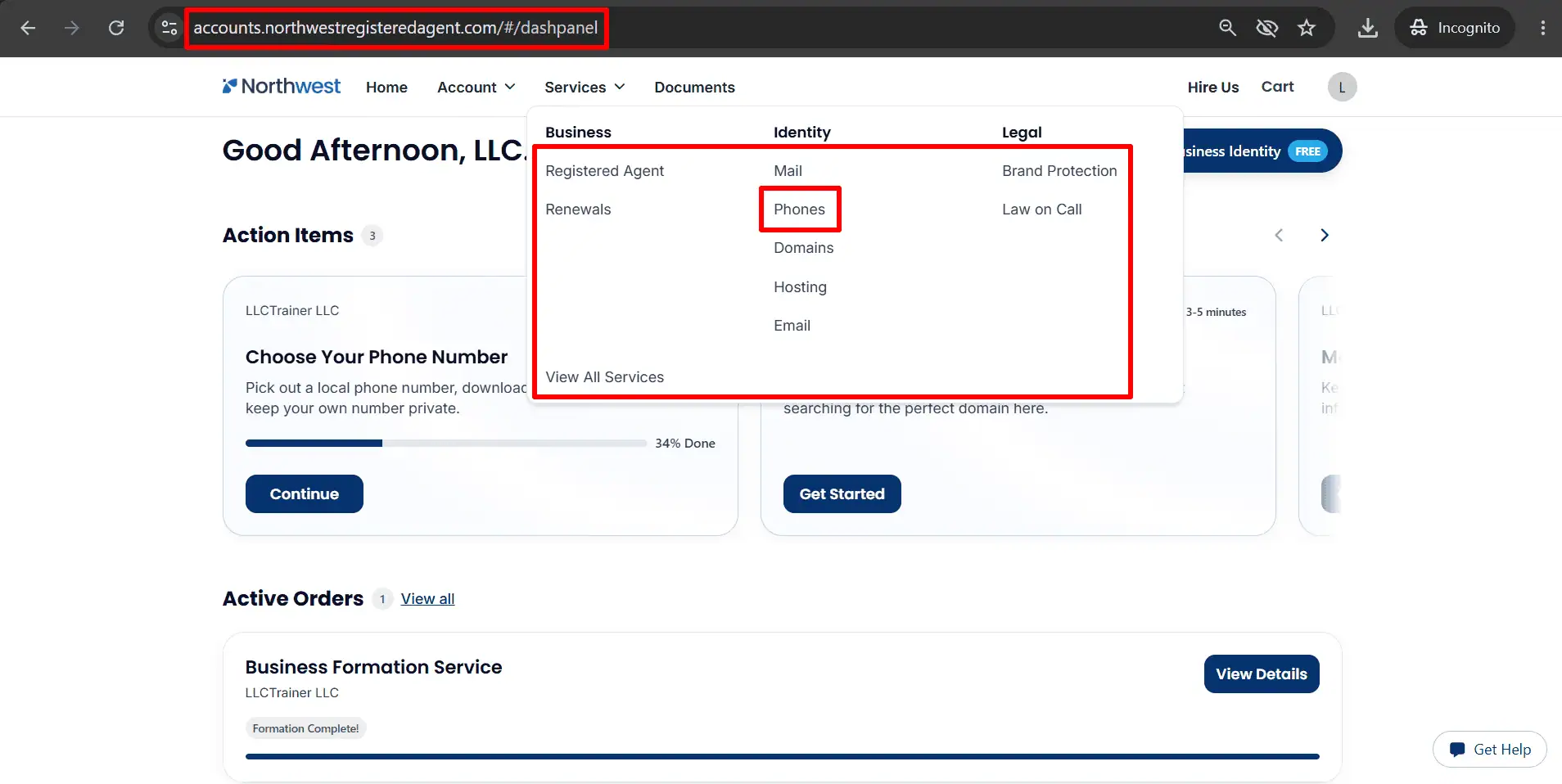
- Services: Select Phones to access business phone services. Other options include mail, domains, hosting and email; review only those you need.
Step 10: Access Your LLC Documents
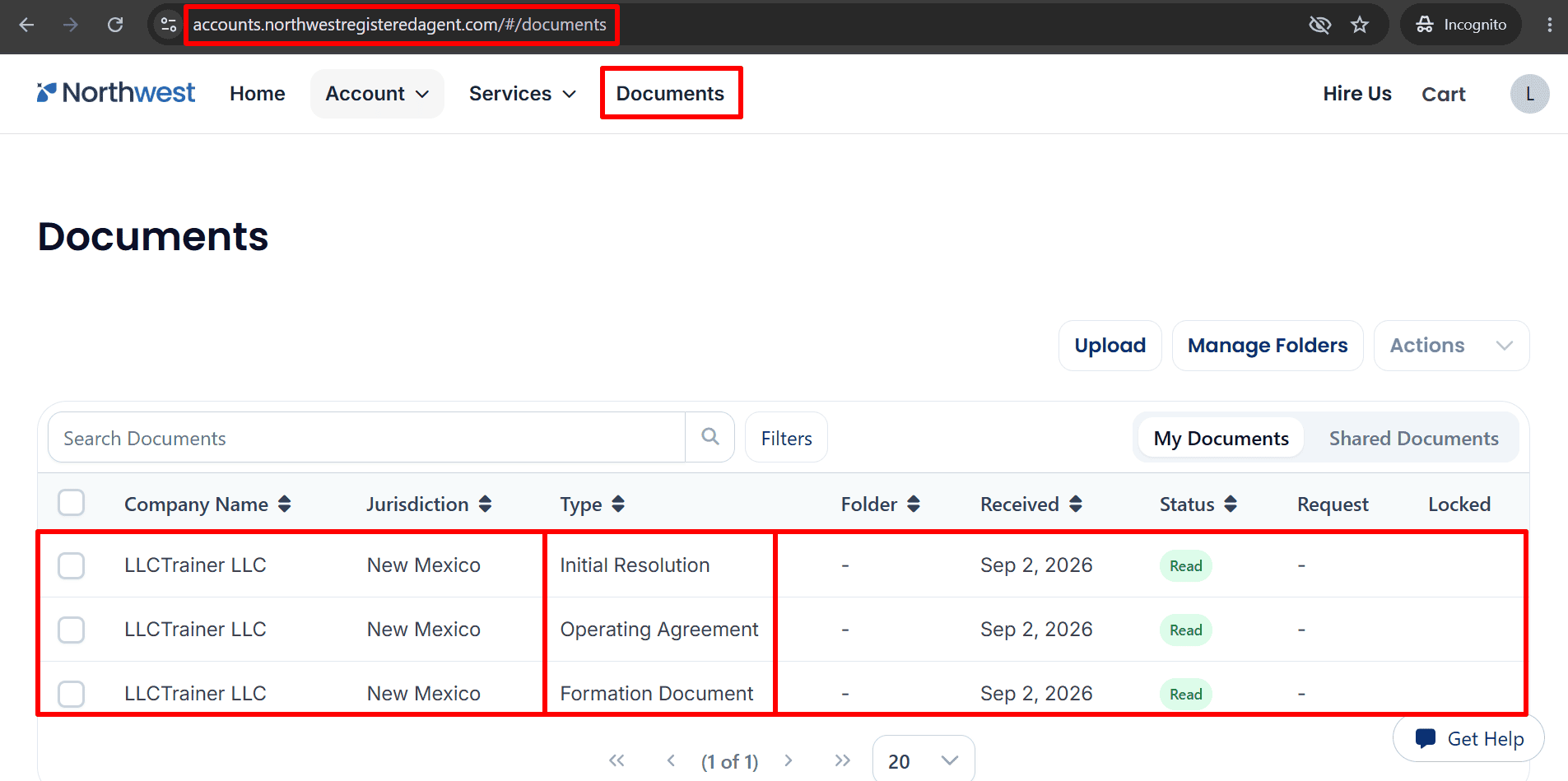
- Documents: Open the Documents tab and select My Documents to view your available files.
- Available Documents: The example lists Initial Resolution, Operating Agreement and Formation Document, each marked Read.
- Search Documents: Use Search Documents or Filters to find your company’s files and review their details.
What to Do After Submitting Your LLC Application
- Monitor progress: click on View Details and look in your email for any updates.
- Respond promptly:Make a prompt response by supplying any corrections or further information that Northwest requests.
- Save your records: Keep your records by saving your invoice and all the documents relating to your formation, your operating agreement and the initial resolution.
- Regarding your EIN: if you have purchased EIN assistance, look for any requests or updates. The confirmation of LLC formation does not mean that the EIN has been issued.
- Prepare your business tools: Explore banking options such as [Mercury or Relayfi] and payment services such as [stripe], checking their eligibility requirements and suitability for your business.
Helpful Resources
- Start Your LLC her
- Read the EIN Guide here
- Explore ITIN Assistance here (Save $50 with code
REGISTERUSLLC50) - Review Square Payments here
- Check Mercury Bank Eligibility here
- Explore Airwallex here
Final Thoughts
Starting a U.S. LLC for your Amazon business takes careful attention to company details, ownership information and address choices. Review each entry and select optional services according to your actual needs.
Keep your records organized and monitor your dashboard as your filing progresses. When you are ready, start your LLC through our Northwest Registered Agent partner link here.
Related Articles from LLCTrainer.com
1.Register a US LLC from Saudi Arabia– Complete Guide for KSA Entrepreneurs
2.Start a U.S. LLC from the UAE – Complete Online Business Formation
3.How to Form an LLC in Wyoming as a Muslim Entrepreneur
4.Delaware LLC Registration for Halal Business Owners
Disclaimer: LLCTrainer.com is an independent educational and affiliate website. The information we provide is for general informational and educational use and must not be treated as legal, tax, financial, or professional advice. We promote lawful, responsible, and ethical business practices and do not support illegal activities, deceptive practices, gambling, business models based on interest, or any arrangements which lack real ownership, responsibility, or commercial risk. It is up to the users to make sure that their business activities conform to the relevant laws and ethical standards.
The links on LLCTrainer.com and other material associated with us are affiliate links; so if you click on one of them and make a purchase, we could receive a commission, even though it would cost you nothing. We give our recommendations on the basis of our own experience, our research and the way well the services match our audience. The money we earn from these commissions helps to support LLC Trainer and enables us to keep on offering free LLC formation guides, tutorials and educational resources.