 LLC Trainer

Starting a halal business in Arizona is an exciting step for Muslim entrepreneurs who wish to build wealth in a lawful and Shariah-compliant way.
An LLC (Limited Liability Company) structure not only protects your personal assets but also ensures your business operations remain transparent, halal, and fully compliant with U.S. laws.
Whether you are opening ane Commerce brand, consulting agency, or service company, forming an Arizona LLC gives you credibility, flexibility, and peace of mind knowing that your venture is both professional and halal-friendly.
Special Note: At LLC Trainer, we do not directly form LLCs — we provide guidance and resources for Muslim entrepreneurs seeking halal-compliant business formation. If your business model is not entirely halal, our resources and partners may not be the right fit for you.
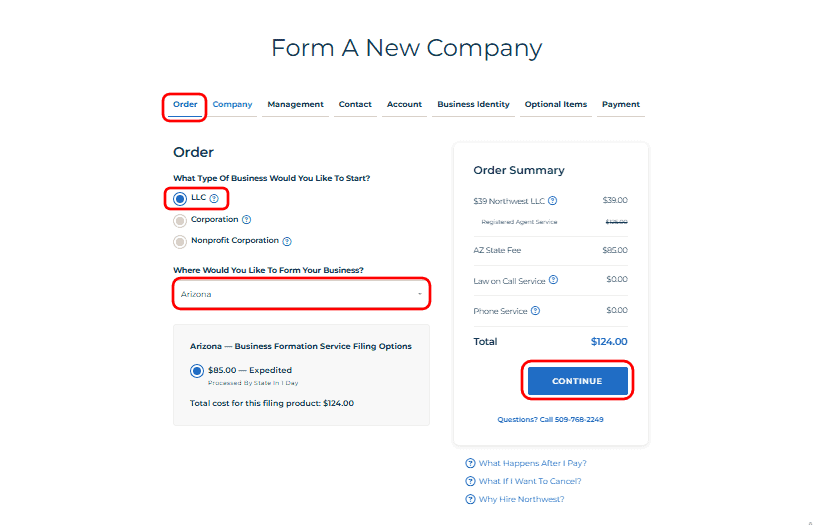
Step A – Order Page
To form your LLC – get started from here.
- Begin by selecting “LLC” as your business type.
- Choose Arizona as the state where you want to form your company.
Note: Here we select Arizona as an example. If you choose a different state, replace Arizona with your selected state. - And click Continue to move forward with your registration.
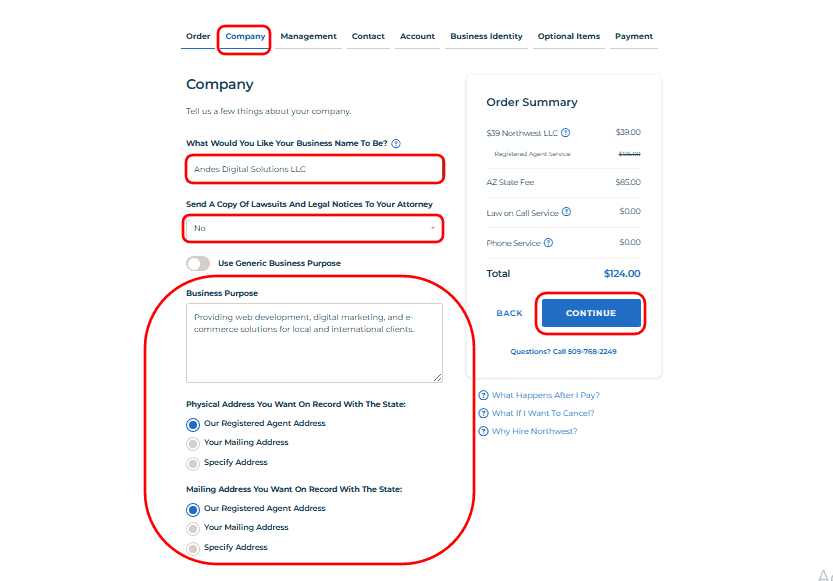
Step B – Company Page
- In this section, enter Your Desired Business Name. For example, Andes Digital Solutions LLC.
- Add your business purpose clearly, for example: Providing web development, digital marketing, and e-commerce solutions for local and international clients.
- In the Physical Address & Mailing Address section, select Our Registered Agent Address if you don’t have a local address in the state or prefer not to display your own address on public documents. If you already have an address in that state, you can select Your Mailing Address and enter it manually.
- Once completed, click Continue to proceed.
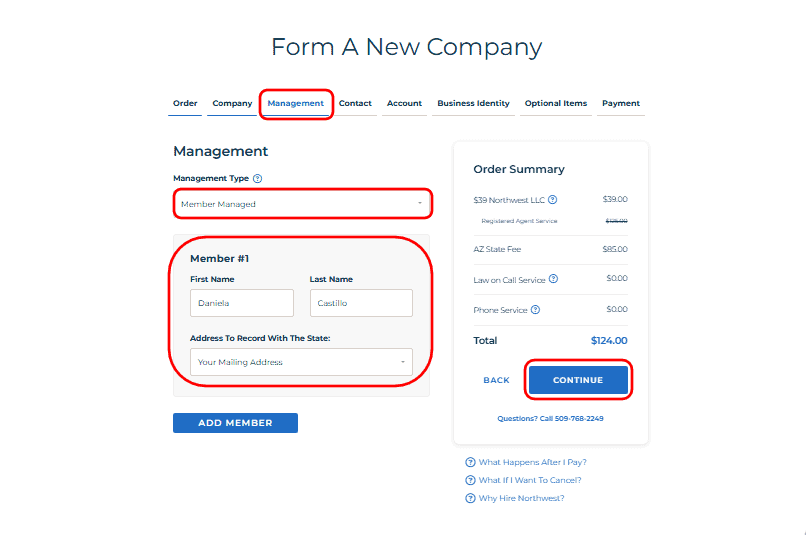
Step C – Management Page
- Choose the Member-Managed if you want the owners to manage the business directly. Alternatively, choose Manager-Managed if your company will have appointed managers.
- Enter Your Name and Select – Your Mailing Address here.
- This information confirms, click Continue to move to the next stage.
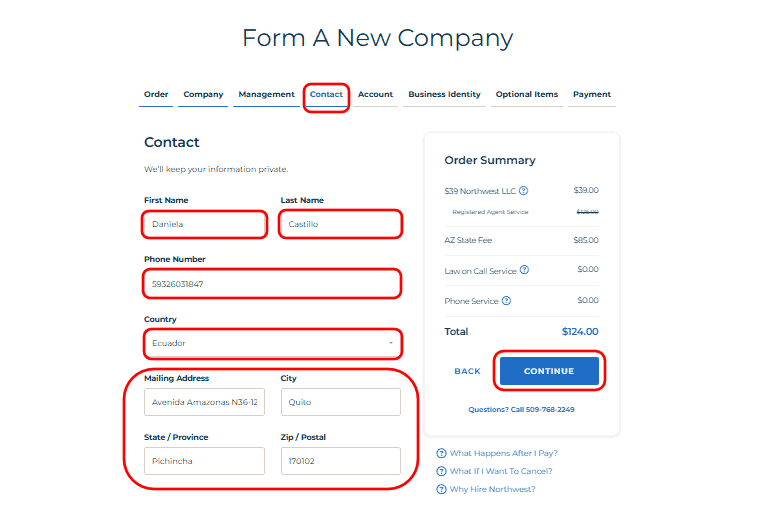
Step D – Contact Page
- Here, provide your main contact information — including phone number, country, mailing address, city, and ZIP code.
- These details are used to send official updates and notifications about your LLC’s formation progress.
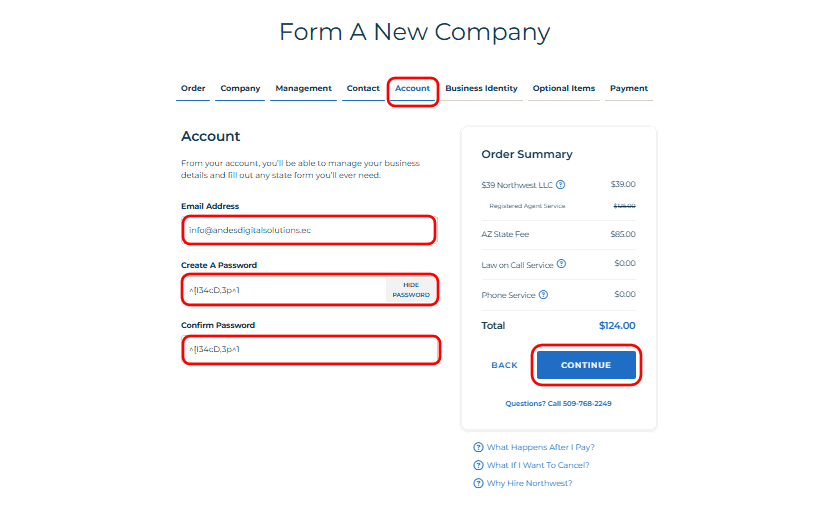
Step E – Account Page
- Create your secure LLC account by entering your email address and setting a strong password.
- You will use this account to track your LLC order, download documents, and manage future services like EIN applications or renewals.
Step F – Business Identity Page
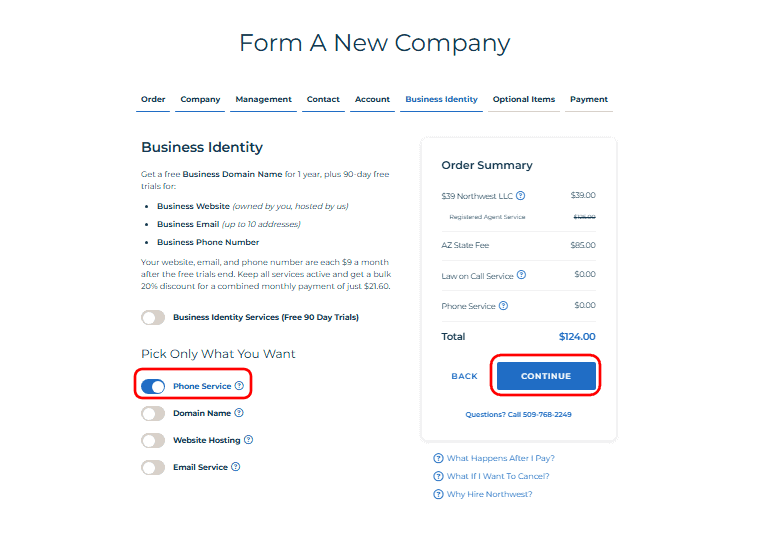
- This page includes optional add-ons that strengthen your business identity, such as a phone line, website, domain, or business email.
- Select only what your business requires to stay lean and cost-efficient. In this example, the “Phone Service” option is activated to maintain a professional business identity.
- Once done, click Continue to advance.
Step G – Optional Items Page
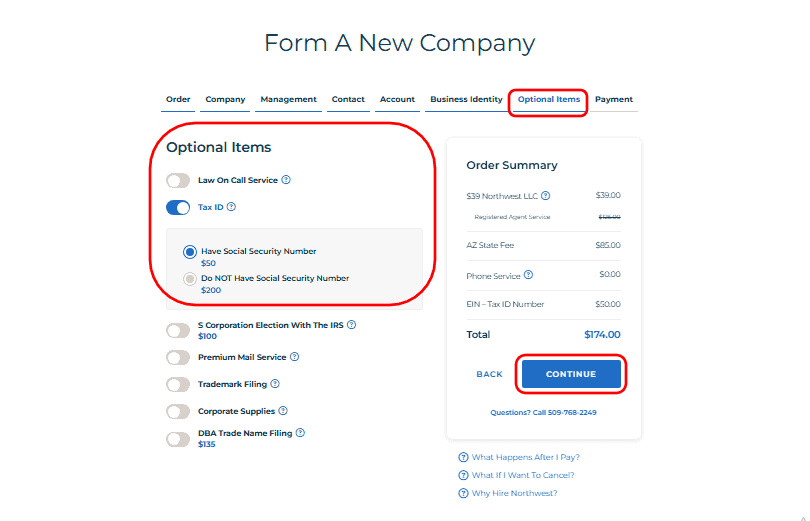
- Select from useful extras such as the EIN (Employer Identification Number) service.
- If you have a Social Security Number, choose Have Social Security Number, If not, formation partners can still help you obtain an EIN for a small additional fee.
- Once your selections are made, click Continue to proceed to payment.
Step H – Payment Page
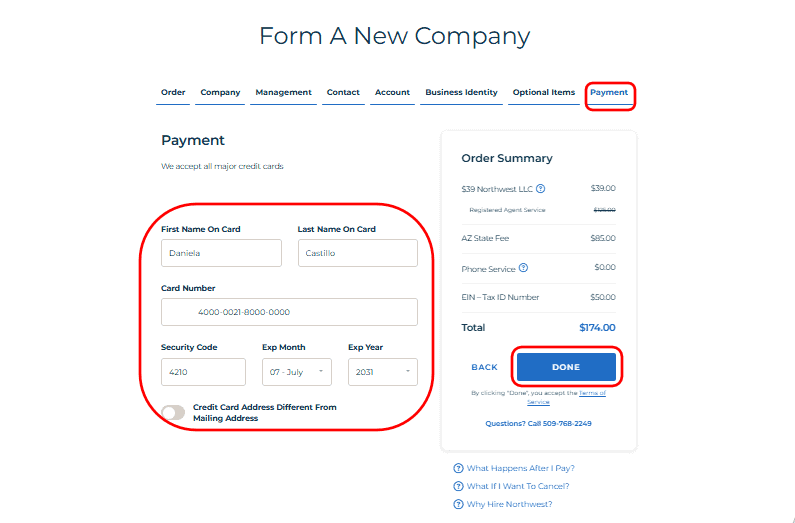
- This is the final checkout stage before your LLC is officially filed. Enter your cardholder name, card number, expiry date, and review your total payment before clicking Done.
- Once confirmed, click Done to complete the payment and finalize your LLC submission.
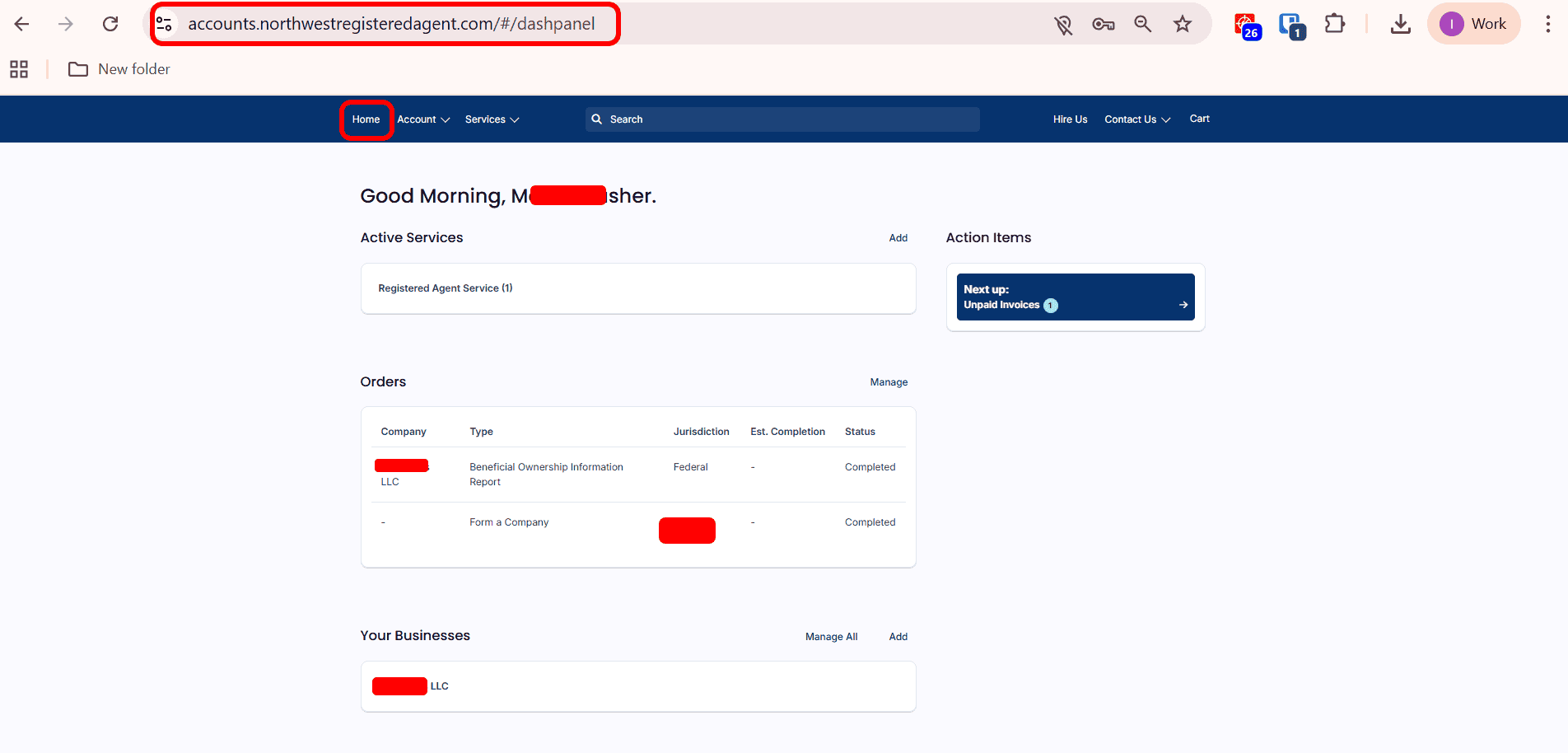
Step I – Dashboard Home Page
- After successful payment, you’ll be redirected to your registered agent dashboard. This secure online area displays your active services, orders, and status updates. You can monitor your LLC formation progress, access important compliance reminders, and receive updates when your business is officially approved.
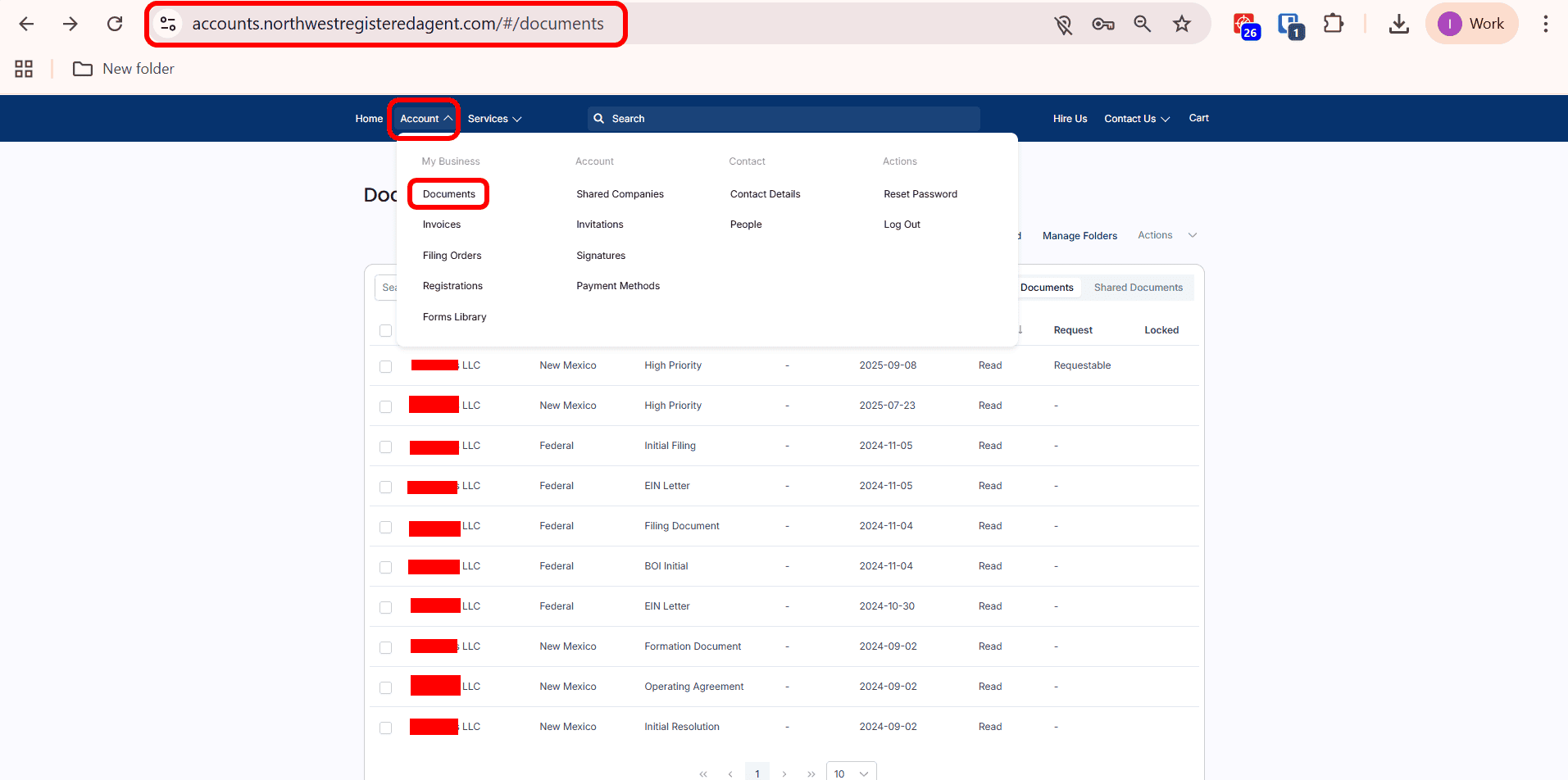
Step J – Documents Page
- Once your LLC is approved, visit the Documents Page to download your official formation certificate, EIN letter, and all related files.
- You can access them whenever you need to open a bank account, payment gateway, any merchant accounts or prove ownership.
Congratulations on Successfully Completing Your LLC Formation!
You have now officially registered your halal Arizona LLC. Within a few hours or days, your LLC approval documents will appear in your registered agent dashboard. Your business is now recognized under U.S. law — a major step toward building a halal, ethical, and financially secure enterprise. Continue to operate with honesty, transparency, and full compliance, and remember that halal success is always blessed when earned the right way.
Northwest Registered Agent is our trusted partner to register an LLC in the USA. Start an LLC only at $39 Filings – Get Started from here.